
Rafal Zawadzki
Founder of Chatwith
Freshdesk vs Zendesk (2026): Which Support Platform Fits Your Team?
Summary of the Article
Freshdesk and Zendesk both charge per agent seat, then meter AI usage on top, and that AI billing is where they differ most. Freshdesk counts AI sessions even when the issue is not resolved. Zendesk only bills automated resolutions the AI actually completed. Here is the short version:
- Freshdesk: cheaper seats and faster to launch; AI costs are predictable only if your resolution rate stays high, because sessions bill whether or not they succeed.
- Zendesk: deeper enterprise ticketing, stricter SLA tools, and outcome-based AI billing, but higher setup effort and steeper per-seat costs at scale.
- A lightweight website AI agent (like Chatwith): the better fit if your support need is website Q&A, order status, lead capture and after-hours answers rather than a full ticketing operation.
Freshdesk raised its list prices from 15/49/79 to 19/55/89 per agent per month on annual billing, and many third-party comparison pages still show the old numbers. Check both vendors' own pricing pages before you decide.
Quick answer
Pick Freshdesk if you run a team of roughly 10 to 50 agents, mostly on email and chat, and want a helpdesk you can launch quickly without a dedicated admin. Pick Zendesk if you have 50+ agents, need phone support, multi-brand operations, custom objects, or strict SLA enforcement. Pick neither if your real problem is repetitive website questions, like order status or business hours. A website AI agent handles that job at a fraction of the cost, and a full helpdesk handles the tickets that still need a human.
Pricing side by side
All figures below are per agent per month on annual billing, from the vendors' own pricing pages. Monthly billing runs roughly 20 to 30 percent higher.
| Plan | Annual | Monthly | What it covers |
|---|---|---|---|
| Freshdesk Growth | $19 | n/a | Email-first helpdesk, basic automation |
| Freshdesk Pro | $55 | n/a | Routing, custom roles, multiple SLAs, 500 AI sessions included |
| Freshdesk Enterprise | $89 | n/a | Skill-based routing, audit logs, sandbox |
| Freshdesk Omni Growth | $29 | n/a | Omnichannel: chat, WhatsApp, social, email |
| Freshdesk Omni Pro | $79 | n/a | Advanced routing, analytics, WhatsApp campaigns |
| Freshdesk Omni Enterprise | $119 | n/a | Custom objects, advanced controls |
| Zendesk Support Team | $19 | $25 | Email ticketing only |
| Zendesk Suite Team | $55 | $69 | Omnichannel + 5 AI resolutions per agent/month |
| Zendesk Suite Professional | $115 | $149 | Advanced automation + 10 AI resolutions per agent/month |
| Zendesk Suite Enterprise | quote | quote | Highest limits and controls |
Sources: Freshdesk pricing, Freshdesk Omni pricing, and Zendesk pricing. Zendesk's support documentation details the Suite plan types if you need feature-level breakdowns.
Zendesk also sells a Copilot add-on for agents at 50 per agent per month. Freshdesk's equivalent, Freddy AI Copilot, costs 29 per agent per month and is only available on Pro and Enterprise plans.
The Freshdesk vs Freshdesk Omni trap
Freshworks sells two different products under almost the same name, and many naive comparisons blur them:
- Freshdesk (standalone) is email-first. Freshworks' own comparison of the two products lists live chat and phone as not included in standalone Freshdesk, so if your customers reach you on chat, WhatsApp or voice, you are really shopping for Omni. Freshworks explains the difference.
- Freshdesk Omni is the multichannel platform: a unified inbox for email, chat, WhatsApp, Facebook and Instagram.
When you see "19 per agent" in a comparison, that is the email-only product. If your customers message you on WhatsApp or Instagram, you are really pricing Omni, which starts at 29 and runs to 119. Zendesk's closest equivalent is the Suite line, not the 19 Support-only plan. Always compare Omni against Suite, not against standalone Freshdesk.
The AI billing difference that actually matters
This is the most consequential difference between the two platforms, and it is easy to miss.
Freshdesk bills AI sessions. Every Freddy AI Agent conversation counts, whether or not the customer's issue gets solved. You get 500 sessions included once per account, then pay $49 per 100 sessions. A session is considered over after 24 hours for chat and 72 hours for email, so an unresolved conversation still consumes budget. If your AI answers well, this is simple and cheap. If deflection is poor, you pay for failures.
Zendesk bills automated resolutions. Per Zendesk's own documentation, you are charged only when an AI agent resolves a request without human escalation, and each resolution is verified by a language model. Suite Team includes 5 automated resolutions per agent per month, Suite Professional includes 10. Beyond the allowance, committed resolutions cost about 1.50 each and pay-as-you-go about 2.00 each. Zendesk explains the automated-resolution model on its help center.
The practical result: Zendesk rewards a high resolution rate and quietly taxes a bad one at 1.50 to 2.00 per failure-free success. Freshdesk charges the same either way, so your true cost depends on your deflection quality, not just your session volume.
Ticketing depth and omnichannel
Both platforms run mature ticketing: shared inboxes, macros, automation rules, and ticket views. The gaps show up at the edges.
- Routing and SLAs. Freshdesk gets intelligent routing and multiple SLA policies at Pro (
55 standalone,79 Omni). Zendesk puts advanced routing in Suite Professional ($115) and reserves its deepest SLA and custom-report tooling for higher tiers. Enterprise buyers on both platforms should expect to compare quotes. - Custom objects and multi-brand. Freshdesk Omni adds custom objects at Enterprise. Zendesk supports multi-brand help centers and granular business rules, which is one reason larger operators standardize on it.
- Reporting. Zendesk Explore handles cross-channel analytics well, but advanced reports typically require higher plans. Freshdesk includes custom dashboards and reporting from Pro upward.
- Voice. Zendesk's AI voice agents require the Zendesk voice add-on. Freshdesk Omni offers voice through a Freshcaller integration with included monthly minutes that vary by plan.
AI automation maturity
Freshdesk's Freddy AI is built for fast adoption. You can stand up an AI agent on existing help content, launch vertical agents, and manage them through AI Agent Studio without heavy admin work. That speed is a real advantage for teams without a dedicated support ops person.
Zendesk AI is aimed at operating at scale: autonomous agents across messaging, email and voice, intelligent triage that classifies every ticket, agent copilots, and knowledge-base generation from past tickets. It takes more configuration, but it holds up under higher volume and stricter quality requirements.
A practical note for either platform: AI answers are only as good as the content behind them. Preparing a clean, structured knowledge base before you launch pays off, and it transfers to whichever tool you pick. Our guide on preparing your knowledge base for an AI support agent walks through that process.
Setup time and learning curve
Buyer reports consistently describe Freshdesk as an hours-to-days setup and Zendesk as a weeks-long project that benefits from an experienced admin. Treat those as typical buyer impressions rather than measured benchmarks; both vendors offer guided onboarding. What is fair to say: Zendesk's feature depth and per-seat add-on structure reward teams with admin capacity, while Freshdesk's simpler default configuration suits teams that want to be live this week.
Hidden costs on both sides
Freshdesk: AI session overages at $49 per 100 sessions, tier gating on routing and SLA features, and Copilot restricted to Pro and above. Watch the distinction between sessions (billed regardless of outcome) and resolutions.
Zendesk: Copilot at $50 per agent per month adds up quickly across a large team. Implementation and admin training are commonly cited costs. Some buyers also report renewal increases and per-seat add-on licensing as pain points; those come from user commentary rather than Zendesk's published rates, so verify current terms in your quote.
Best fit by team size
- Up to 10 agents: Either entry tier works. Freshdesk Growth (
19) is cheaper to try; Zendesk Support Team (19) matches it but covers email only. If you are mostly answering website visitors rather than running a ticket queue, skip ahead to the section below. - 10 to 50 agents: Freshdesk's sweet spot. Pro and Omni Pro give you routing, SLAs and AI features without enterprise pricing, and setup stays manageable.
- 50+ agents: Zendesk's sweet spot. Multi-brand operations, contact-center needs, custom objects and strict SLA enforcement justify the higher seat prices and the admin overhead.
Chatwith: when neither helpdesk is the right tool
There is a third case that neither pricing table covers. If your team's goal is not ticket management but answering the recurring questions that flood your website, like order status, shipping, pricing, and booking details, a full helpdesk is the wrong-sized tool. You would be paying per agent seat to triage questions a well-built AI agent resolves on its own.
That is where Chatwith fits. It is a custom AI support agent for your website, not a helpdesk suite, and it should be judged as a different category:
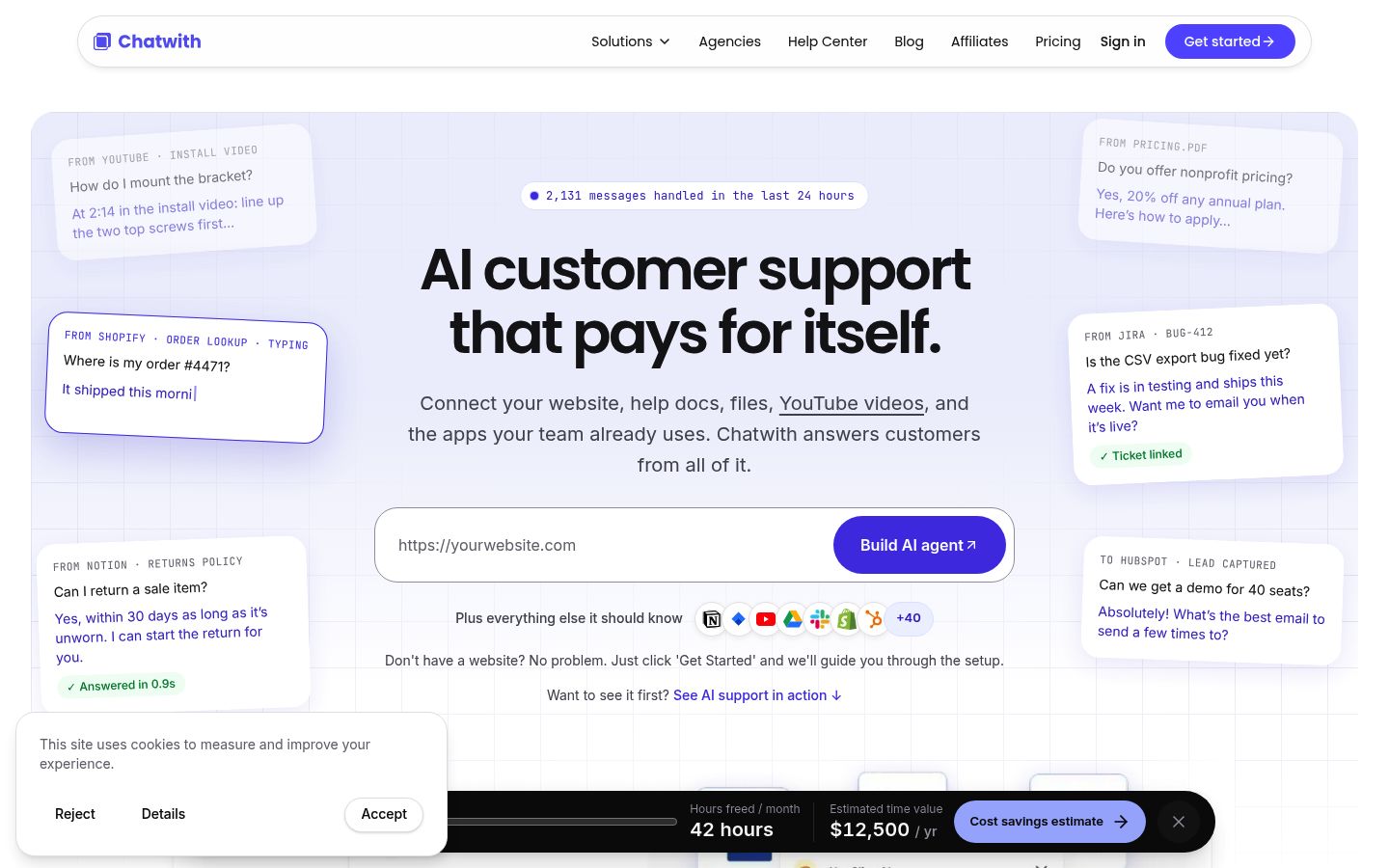
- Trained on your website content, help docs, files and videos, so it answers from your actual business information.
- Connected to business tools, so it can look up order status for e-commerce shoppers, search products, and handle routine requests around the clock.
- Captures visitor contact details and qualifies leads, which is useful for real estate, SaaS and service businesses.
Use it when the job is website Q&A, after-hours coverage, and lead capture. Keep a helpdesk like Freshdesk or Zendesk when you need ticket workflows, cross-team assignment, or a phone-based contact center. Many teams run both: an AI agent on the site for instant answers, a helpdesk behind it for anything that escalates. Setting clear handoff rules for when an AI support agent passes work to a human is what makes that combination work well.
If that scoped use case matches yours, check Chatwith's pricing page to see what the lightweight option costs next to a per-seat helpdesk.
Which one should you pick?
Work through these three questions:
- Is your problem tickets or questions? Ticket queues with assignments and SLAs point to Freshdesk or Zendesk. Repetitive website questions point to a website AI agent first.
- What is your team size and channel mix? Email-first and budget-conscious: Freshdesk. WhatsApp, voice, multi-brand or 50+ agents: Zendesk Suite.
- Who maintains it? No dedicated admin: lean Freshdesk or a lightweight agent. Have one: Zendesk's depth becomes an advantage.
If you concluded that a website AI agent covers most of your support need, you can try Chatwith directly: sign up and get started with Chatwith, train it on your site in minutes, and see how many conversations it resolves before you commit to a full helpdesk budget. And if you are leaning away from Zendesk specifically, our roundup of the 10 best Zendesk alternatives in 2026 compares more options on price, setup and AI support.
Ready to engage your customers?
Boost sales, save resources and make your customers happy.
Your custom AI agent, no coding required.
More from our blog
The essential agent terminology, glossary and definitions
Explaining the AI jargon: a guide to the commonly used agent terminology. This glossary will help you understand the world of agents.
25 FAQ Page Examples for Any Website (2026)
25 real-world FAQ page examples with the questions and answers that work best for e-commerce, SaaS, service businesses, and more — plus a free FAQ generator.